
The Zoho Books payment integration for Melio was created out of a need for current Zoho Books users to seamlessly populate Melio payments made to outsourced and related vendors into Zoho Books Bills. This solution greatly improves efficiency and reduces human error, allowing businesses to streamline their accounts payable process with greater accuracy and efficiency. Whether you’re managing vendor payments, service providers, or recurring bills, this integration helps keep your financial records organized and up to date without manual effort. If you’re also interested in understanding a Zoho Books integration with Wise, check out this other blog post.
Table of Contents
Receivables Look Great, But Where Are the Expenses?
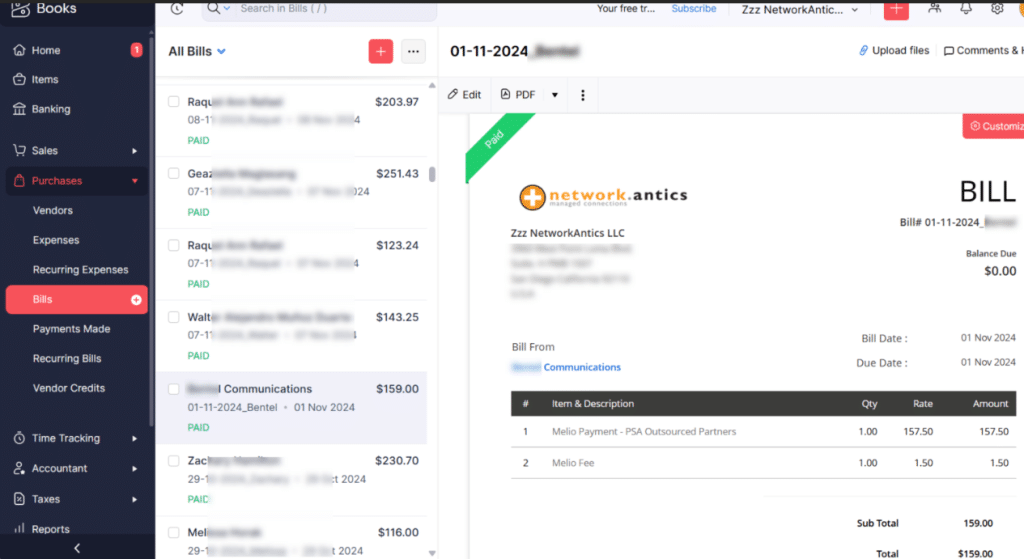
Inside Zoho Books
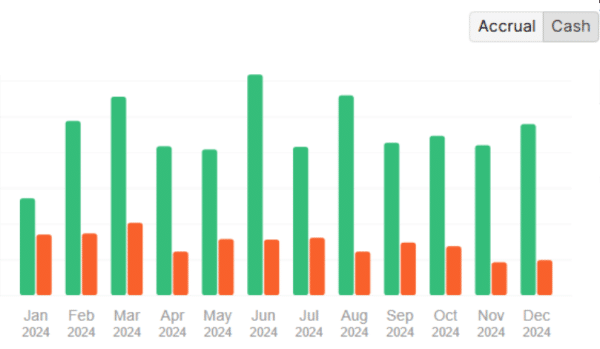
The Zoho Books dashboard is rich with data, but it’s mostly inaccurate and unreliable data. In the chart below, green represents an accurate measure of receivables because every payment received from each client is either automatically marked as “Payment Received” (if the client pays via credit card) or manually recorded by the AR team if paid by check or Stripe ACH.
Receivables vs. Payables
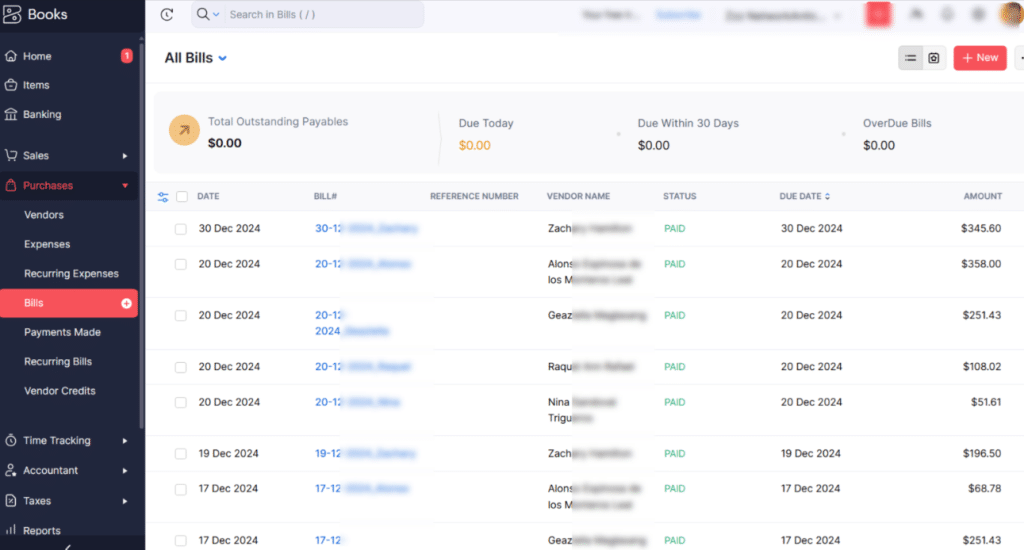
The red bars are where the wheels fall off. Either we have unbelievable margins, or we are simply not properly recording our expenses in the Zoho Books platforms with any consistency or thoroughness. What little red data there is in the above chart is represented by our Wise payments and our Zoho Books payment integration for Melio. The Zoho Books “bill” data comprises a healthy mix of Wise and Melio payments covering the complicated fee structure, subcontractor payments, products for resale, and passthrough material item costs.
Zoho Books Bills
What about other payments for expenses?
The Zoho Books payment integration for Melio is mostly designed for one-off payments and some scheduled payments. A dedicated expense management system like Bill Spend and Expense formerly known as Divvy, is where an organization should really track their recurring monthly expenses with greater control and visibility. They can make payments and track expense categories through the use of virtual credit cards. Virtual credit cards offer greater control and traceability, as you can assign specific cards to specific departments, vendors, or projects, making it easier to identify spending patterns and catch discrepancies before they become a bigger issue.
Payment categories can be whatever you want them to be, but less is more. Our example below is a bit more granular in detail, and perhaps unnecessary, but nevertheless good for our Zoho Books reports.
- Liability
- Materials – Passthrough Charge
- Materials – Resale
- Custom Resource Types:
- PSA Outsourced
- COGS – PSA Resources
- PS – PSA Resources (Professional Services)
- PS – MSC (Professional Services & Legal Fees)
Zoho Books Payment Integration for Melio: Sync Bills, Contracts, and Invoices Automatically Summary
We got tired of trying to make sense of the quarterly miscellaneous transactions the bookkeeper wanted us to recall. There’s nothing better than categorizing data in real time as you are making payments.
Zoho Books reports can extract meaningful data if you are thoughtful about what exactly you are trying to get out of the system. Our bookkeeper, for example, just needs to know fees, professional (PS) services, and the resources that act as COGS for reselling our services. What about your business? What type of reporting does it need?
If you’re looking to streamline your payments or clean up your reporting with a tailored Zoho Books Payment Integration for Melio, we at NetworkAntics can help. We specialize in smart, scalable solutions that fit your workflow and not the other way around. Contact us today to get started on a custom integration that simplifies your payments and improves your reporting.

